Configuration
You can configure TalkOps Kubernetes Agent (k8s-autopilot) interactively through the Settings UI or declaratively via environment variables in ~/.k8s-autopilot/.env. Changes saved in the Settings UI take effect immediately without restarting containers.
Configuration precedence
When resolving any setting, k8s-autopilot evaluates sources in the following order (highest priority first):
| Priority | Source | Behavior |
|---|---|---|
| 1 (Highest) | Settings UI (Configuration database) | Applied immediately at runtime with zero container restarts |
| 2 | Environment variables (.env / shell) | Loaded at container startup as initial defaults |
| 3 (Lowest) | Built-in framework defaults | Production-tested fallback values |
Settings UI walkthrough
Open the Settings modal by clicking Setup on the agent card or the gear icon in the top navigation bar.
Auth & Keys
Manage API keys and custom base URLs for 20+ supported model providers. Each row displays the provider name, mapped environment variable, and active status ([configured] or [not set]).
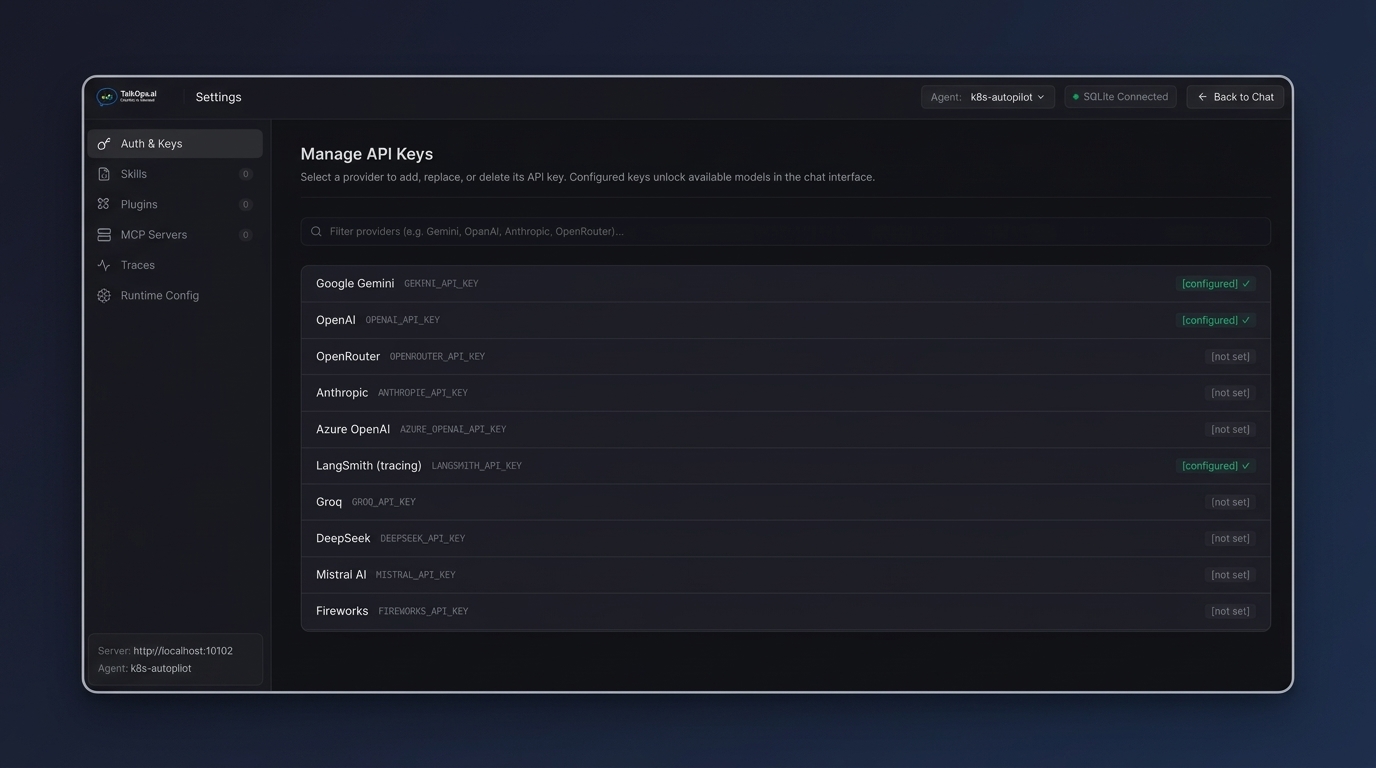
Click any provider row to open its credential dialog:
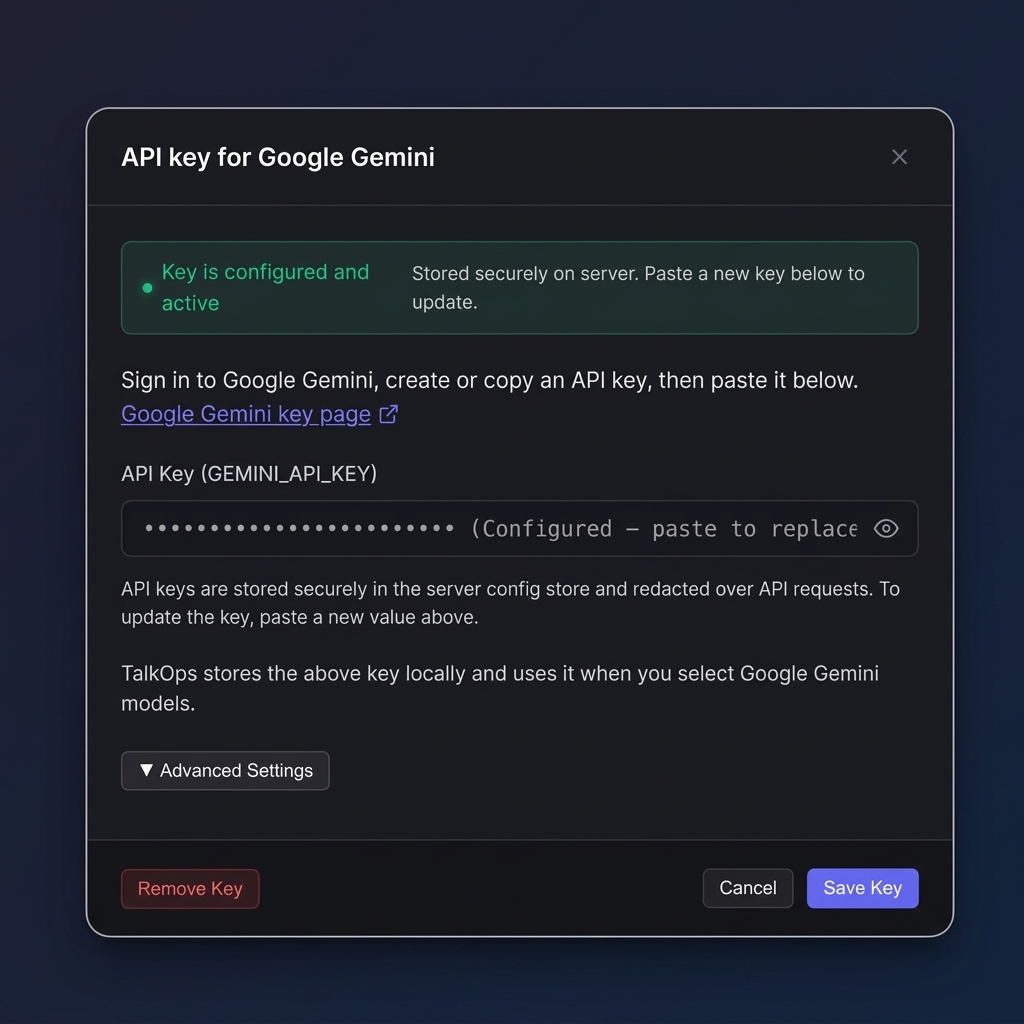
- Save or rotate keys: Paste your API key and click Save Key. Keys are stored encrypted in the backend configuration store and masked in all API responses.
- Custom base URLs: Expand Advanced Settings to point the provider at an internal LiteLLM proxy, enterprise gateway, or VPC endpoint.
Plugins
Browse marketplaces, install community or private plugins, and manage enabled extensions:
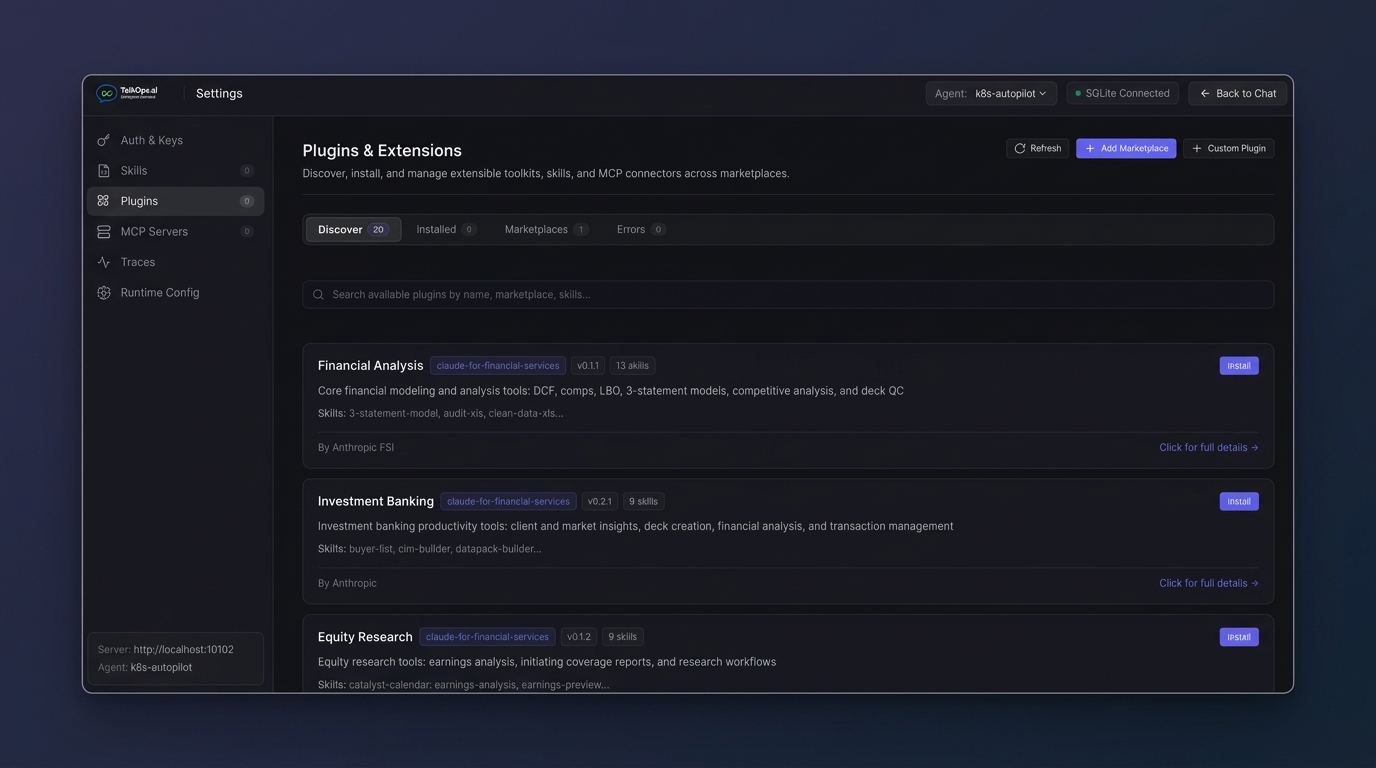
- Discover: Browse plugins across all registered marketplaces and install with one click.
- Installed: Enable, disable, or uninstall installed plugins.
- Marketplaces: Register GitHub repositories (
owner/repo), HTTPSmarketplace.jsoncatalogs, or local filesystem directories. - Errors: Inspect diagnostic logs for any plugin that failed validation.
Traces
Configure LangSmith tracing to inspect every LangGraph node transition, prompt, tool call, and token count:
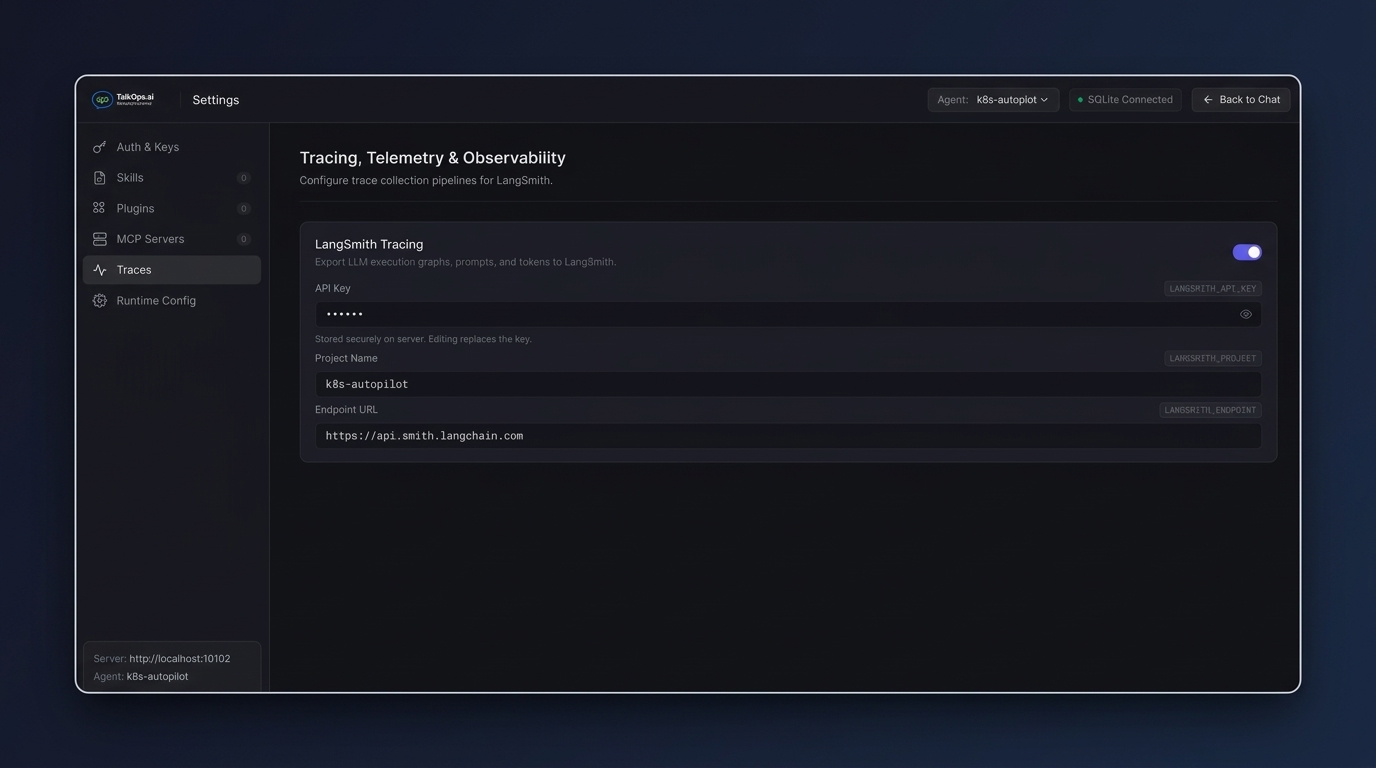
| Setting | Environment variable | Default |
|---|---|---|
| Tracing enabled | LANGSMITH_TRACING | false |
| API key | LANGSMITH_API_KEY | — |
| Project name | LANGSMITH_PROJECT | k8s-autopilot |
| Endpoint URL | LANGSMITH_ENDPOINT | https://api.smith.langchain.com |
Runtime Config
Configure state persistence, Kubernetes cluster contexts, GitOps endpoints, and observability URLs.
Backend storage
Choose where conversation threads, LangGraph checkpoints, and runtime settings are persisted:
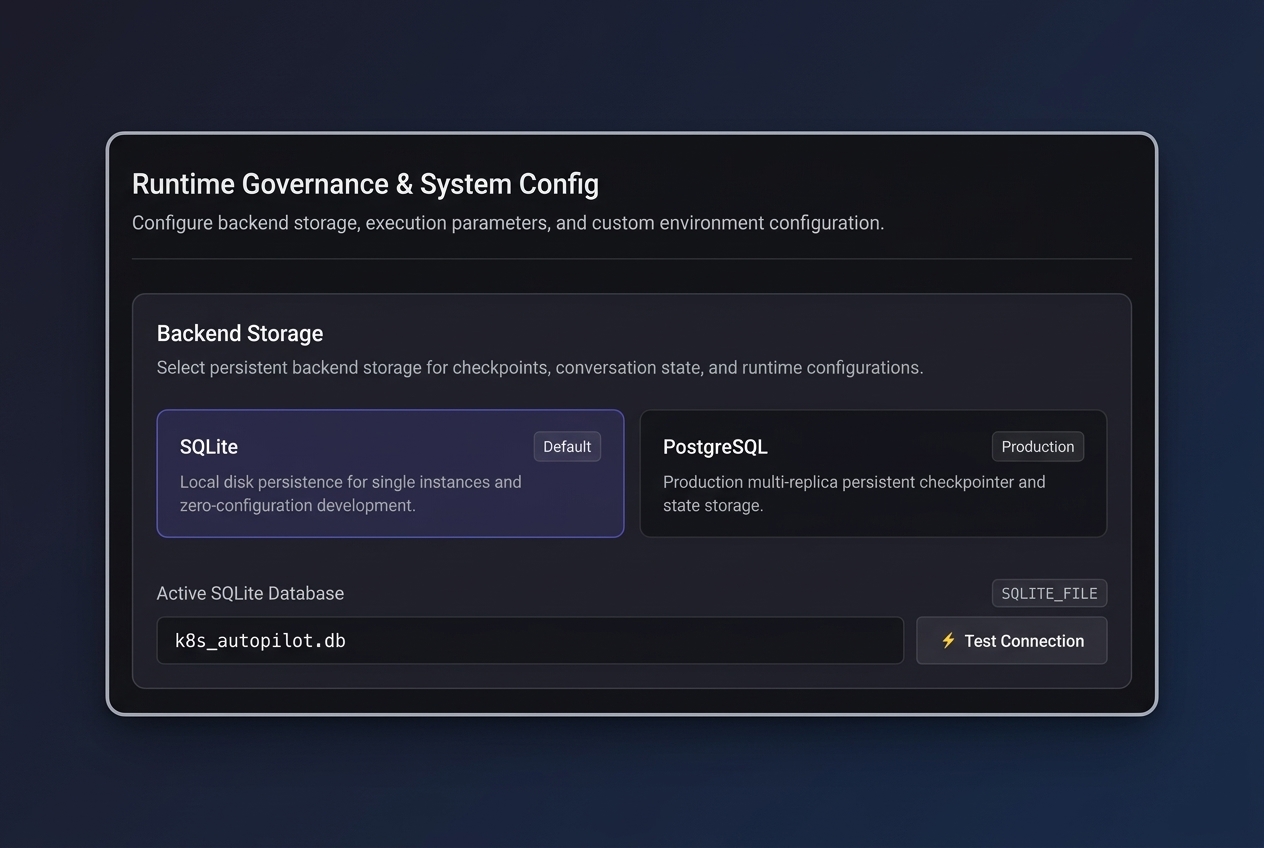
| Variable | Default | Description |
|---|---|---|
CHECKPOINT_BACKEND | auto | Storage backend: sqlite, postgres, or auto (selects PostgreSQL when POSTGRES_URI is set) |
SQLITE_FILE | k8s_autopilot.db | Local SQLite database file path (WAL mode enabled) |
POSTGRES_URI | — | PostgreSQL connection URI (postgresql://user:pass@host:5432/dbname) |
Kubernetes cluster connectivity
Configure the kubeconfig, context, default namespace, and sandbox execution provider:
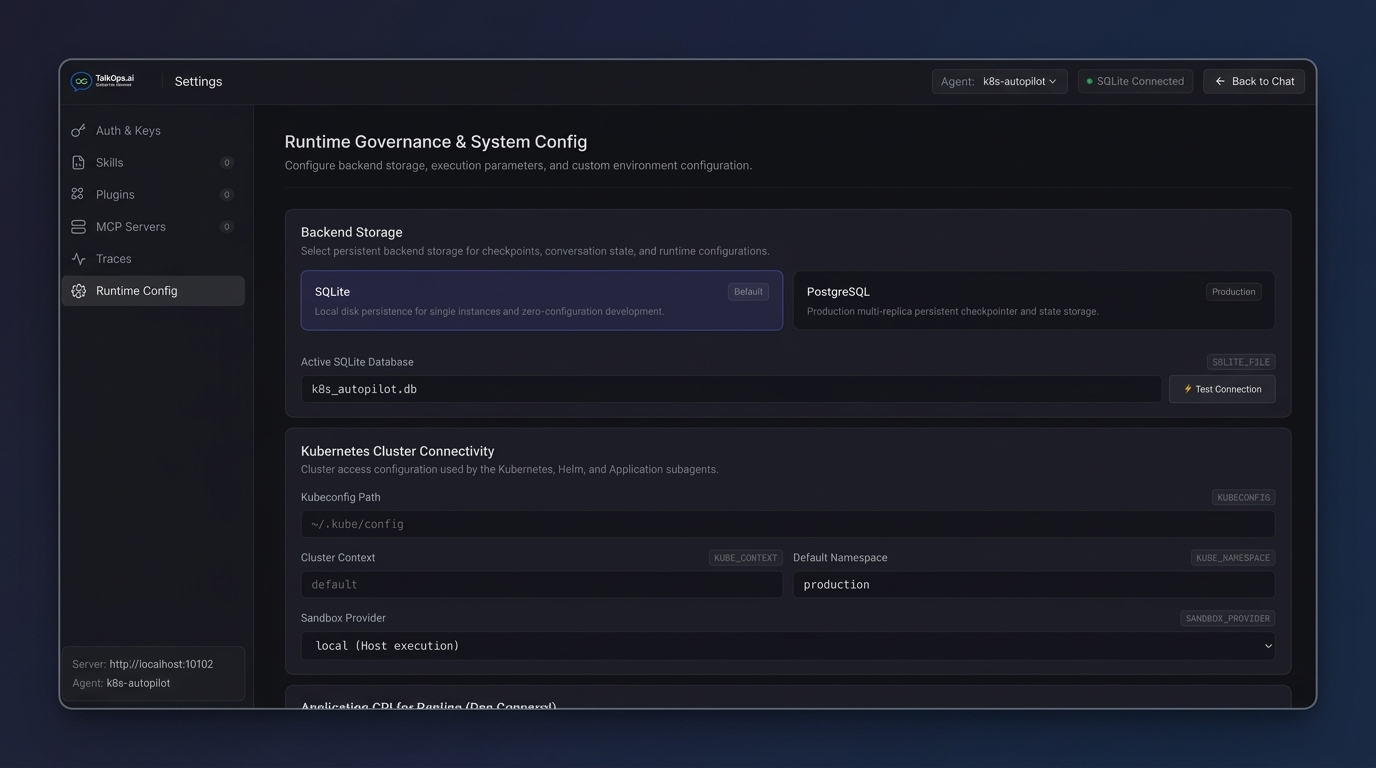
| Variable | Default | Description |
|---|---|---|
KUBECONFIG | ~/.kube/config | Path to the kubeconfig file mounted into the agent |
KUBE_CONTEXT | (active context) | Kubernetes context name to target |
KUBE_NAMESPACE | default | Default namespace when none is specified in a prompt |
SANDBOX_PROVIDER | local | Execution environment for sandboxed commands (local, docker, or kubernetes) |
Application delivery endpoints
| Variable | Default | Description |
|---|---|---|
ARGOCD_SERVER_URL | — | ArgoCD API server URL |
ARGOCD_AUTH_TOKEN | — | ArgoCD bearer authentication token |
ARGOCD_INSECURE | true | Skip TLS certificate verification for self-signed ArgoCD servers |
TRAEFIK_API_URL | — | Traefik dashboard/API endpoint |
Observability stack endpoints
| Variable | Default | Description |
|---|---|---|
PROMETHEUS_BASE_URL | http://prometheus-operated.monitoring.svc:9090 | Prometheus query API URL |
ALERTMANAGER_BASE_URL | http://alertmanager-operated.monitoring.svc:9093 | Alertmanager API URL |
LOKI_URL | http://localhost:3100 | Grafana Loki HTTP API endpoint |
TEMPO_BASE_URL | http://localhost:3200 | Grafana Tempo HTTP API endpoint |
OTEL_EXPORTER_OTLP_ENDPOINT | — | OpenTelemetry Collector OTLP receiver endpoint |
Model & runtime environment variables
| Variable | Default | Description |
|---|---|---|
MODEL | gemini-3.7-flash | Active model identifier (e.g., claude-opus-4-7, gpt-4o, gemini-3.7-flash) |
MODEL_PROVIDER | (auto-detected) | Explicit provider override (google_genai, anthropic, openai, ollama, etc.) |
REASONING_EFFORT | medium | Extended thinking budget (low, medium, high, max) |
MODEL_CONTEXT_LIMIT | (model default) | Override the context window token limit |
APPROVAL_MODE | manual | Default governance mode (manual, auto, yolo) |
RECURSION_LIMIT | 50 | Maximum LangGraph step recursion limit per turn |
COMPACTION_TOKEN_BUDGET | 100000 | Token threshold that triggers automatic conversation compaction |
HELM_WORKSPACE | ./workspace/helm-charts | Local staging directory for generated Helm charts |
GITHUB_PERSONAL_ACCESS_TOKEN | — | GitHub PAT used for committing generated charts and opening pull requests |
TAVILY_API_KEY | — | Tavily API key for live web documentation search |
LOG_LEVEL | INFO | Runtime log verbosity (DEBUG, INFO, WARNING, ERROR) |
LOG_MODE | text | Log output format (text or json) |
MCP transport and timeout variables
By default, built-in MCP servers run as local stdio subprocesses. To route specific MCP servers over HTTP in distributed Docker or Kubernetes deployments, set MCP_SERVERS:
MCP_SERVERS='[
  {"name": "helm_mcp_server", "url": "http://helm-svc:8080", "transport": "http"},
  {"name": "prometheus-mcp-server", "url": "http://prom-svc:8080", "transport": "http"}
]'
| Variable | Default | Description |
|---|---|---|
MCP_TIMEOUT | 30 | Per-tool execution timeout in seconds |
MCP_TIMEOUT_TOTAL | 600 | Maximum total MCP operation timeout in seconds |
MCP_TIMEOUT_CONNECT | 300 | MCP server initialization and connection timeout in seconds |
MCP_DEFAULT_TRANSPORT | sse | Default transport for newly registered remote MCP servers (sse, stdio, http) |
Automatic variable aliasing
To keep configuration DRY across multiple MCP servers, k8s-autopilot bidirectional-syncs common alias variables automatically:
PROMETHEUS_BASE_URL↔PROMETHEUS_URLKUBECONFIG↔K8S_KUBECONFIGGOOGLE_API_KEY↔GEMINI_API_KEYLANGSMITH_API_KEY↔LANGCHAIN_API_KEY